Enterprise Software Suite
Designing and developing internal tools across logistics, ordering, and brand management
Role
UX Designer, Frontend Developer
Timeline
9 months
Team
1 designer, 8 engineers, 1 BSA
The Challenge
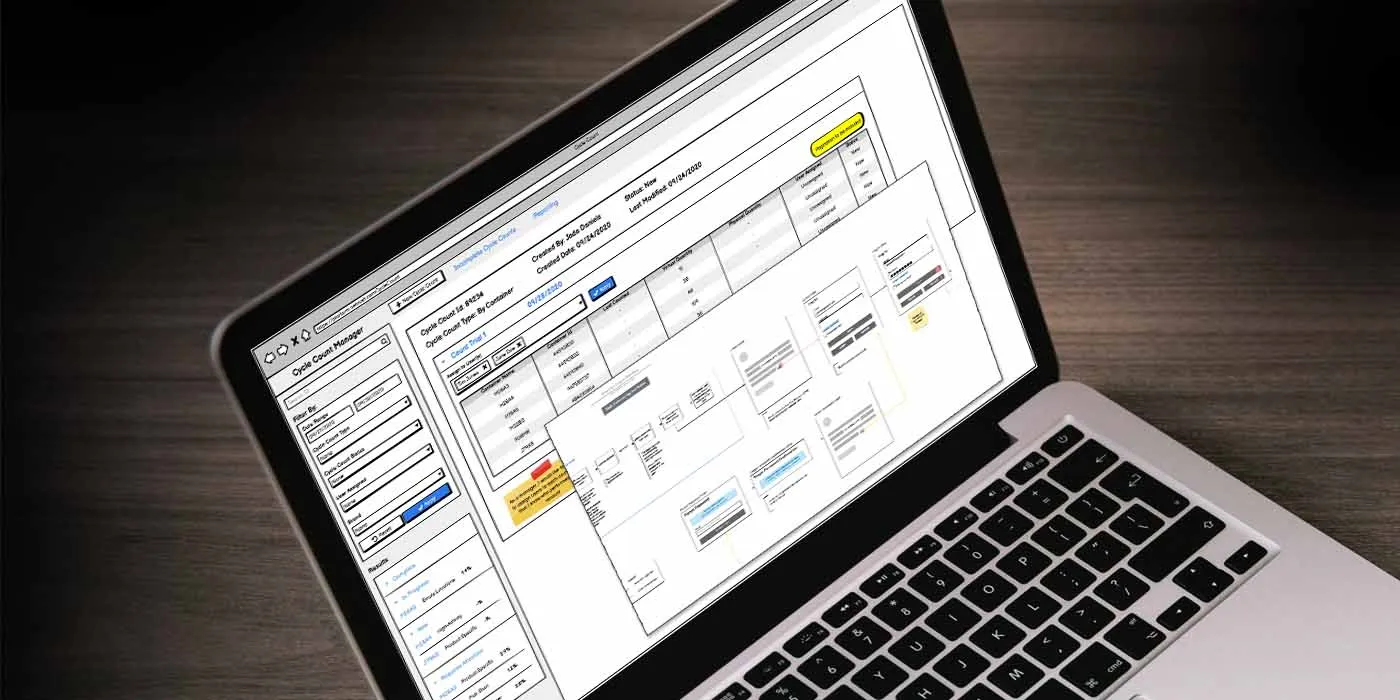
Netrush is a retail and e-commerce accelerator that supports brand operations across supply chain logistics, inventory processing, ordering, catalog, and digital marketing. As the organization grew, it had built a collection of internal tools — each developed independently to serve specific departmental needs.
The result was a fragmented, inconsistent experience that forced employees to navigate disparate workflows across Logistics, Ordering, and Brand Management applications. These enterprise tools were business-critical, yet lacked a cohesive UX foundation.
Core problems:
- Inconsistent UI/UX patterns across applications increased onboarding friction
- Lack of process clarity made complex task flows difficult to navigate
- Reactive, siloed development created interface inconsistencies
- Communication gaps between stakeholders, users, and developers slowed delivery
- New employees struggled to learn multiple disparate systems
As a UX designer embedded on an Agile development team, my role was to create a unified suite of tools that aligned user workflows with technical requirements and business goals.
Research & Discovery
User Immersion
To kick off each project, I met with end users across departments to deeply understand their daily tasks, pain points, and expectations. Rather than conducting traditional interviews, I embedded myself in their workflows, observing how they navigated existing tools and where friction occurred.
Workflow Documentation
I documented existing processes using user flows and journey maps, which helped uncover inefficiencies and bottlenecks that weren’t immediately obvious to users or stakeholders. These visual artifacts became powerful communication tools — helping users see their workflows objectively and allowing me to facilitate discussions about improvement opportunities.
“Seeing my process mapped out like this made it obvious where we were wasting time. I never realized how many steps it took just to process a single order.”
— Logistics coordinator
Collaborative Requirements Sessions
The initial flows became co-creation tools during user requirements sessions. Rather than presenting solutions, I used them to workshop improved workflows with users and stakeholders. This user-first approach:
- Empowered stakeholders to contribute meaningfully to the design process
- Built buy-in early by making users active participants
- Ensured each solution was grounded in real-world use
- Surfaced edge cases and constraints before development began
Key Insights
- Users think in tasks, not tools — Departmental boundaries in the software didn’t reflect how work actually flowed
- Inconsistency breeds confusion — The lack of shared patterns meant every new tool required relearning basic interactions
- Visibility prevents errors — Users needed clear feedback about system state and process status
- Cross-functional alignment was missing — Developers, analysts, and users rarely collaborated before requirements were locked
Design Process
Information Architecture
Partnered closely with Business Systems Analysts and developers to:
- Translate user needs into functional requirements
- Influence the underlying information architecture across applications
- Establish shared navigation patterns and terminology
- Create consistency across the suite while respecting workflow differences
My presence in early technical discussions helped ensure alignment between design, functionality, and stakeholder expectations — before development began.
Design System Foundations
While a formal design system didn’t exist, I worked to establish consistent patterns across projects:
- Shared UI components for forms, tables, and data entry
- Common navigation models that reduced learning curve
- Standardized interaction patterns for filtering, searching, and bulk actions
- Visual consistency in typography, color, and spacing
Iterative Design & Prototyping
Translated insights and requirements into tangible design artifacts:
- Wireframes to establish layout and information hierarchy
- Workflow diagrams to visualize process improvements
- Interactive prototypes to validate interaction models
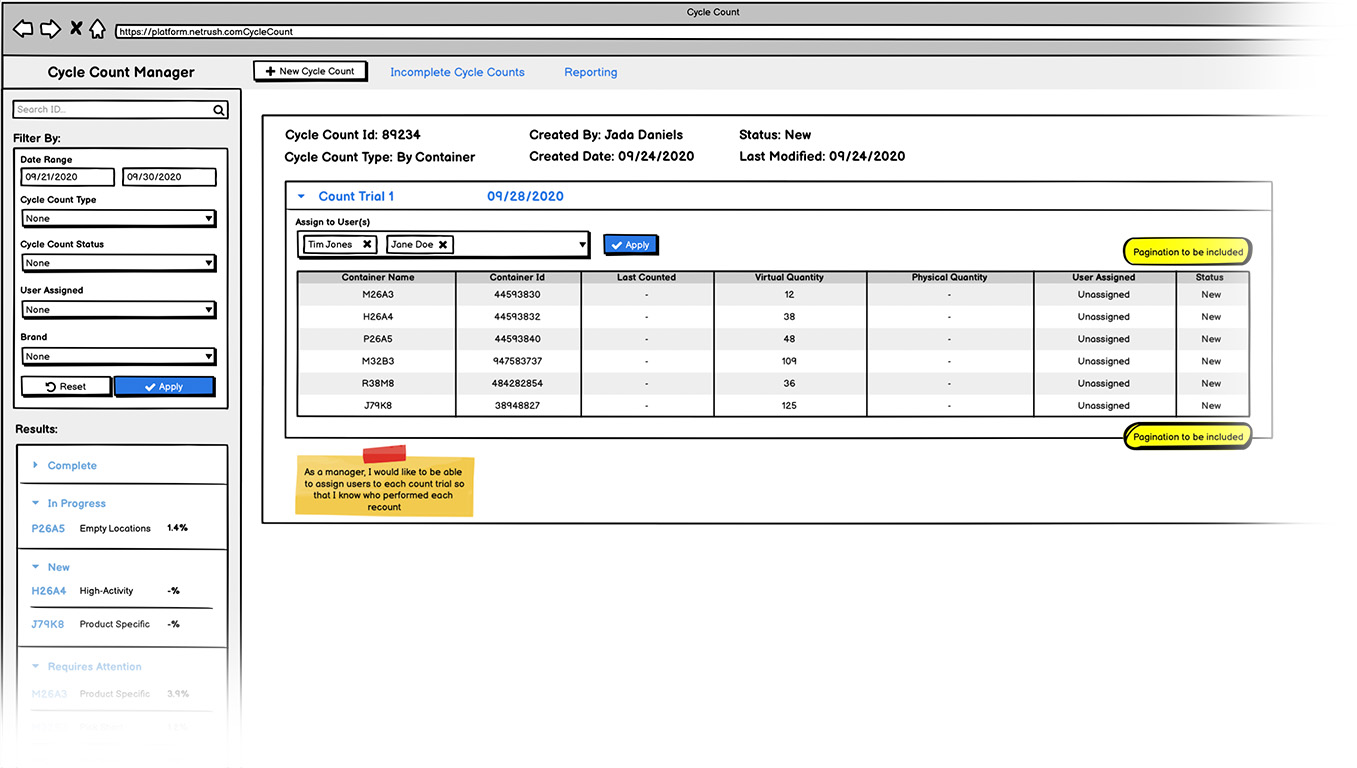
These artifacts served as visual anchors for team discussion, reducing ambiguity and accelerating decision-making. We used an iterative approach to refine designs in real time, gathering feedback from users and stakeholders throughout the process.
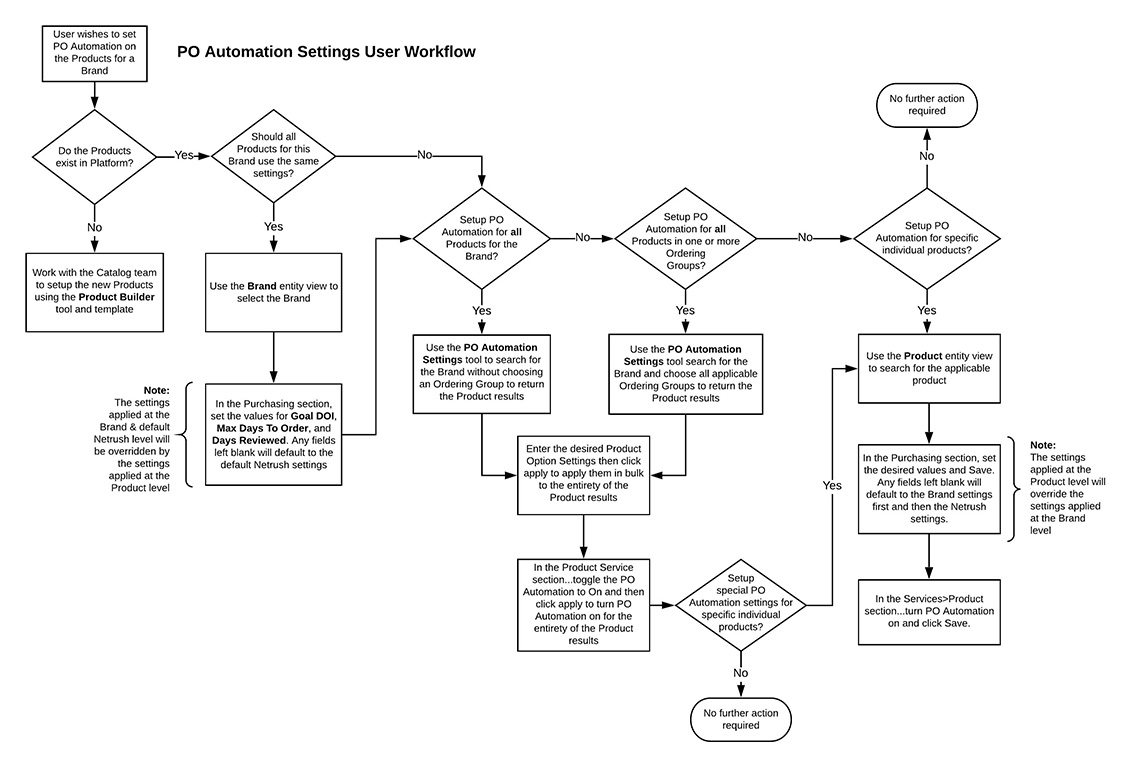
Design as collaboration tool: The artifacts improved sprint planning clarity and development velocity by ensuring the entire team — designers, developers, analysts, and stakeholders — shared a common understanding before code was written.
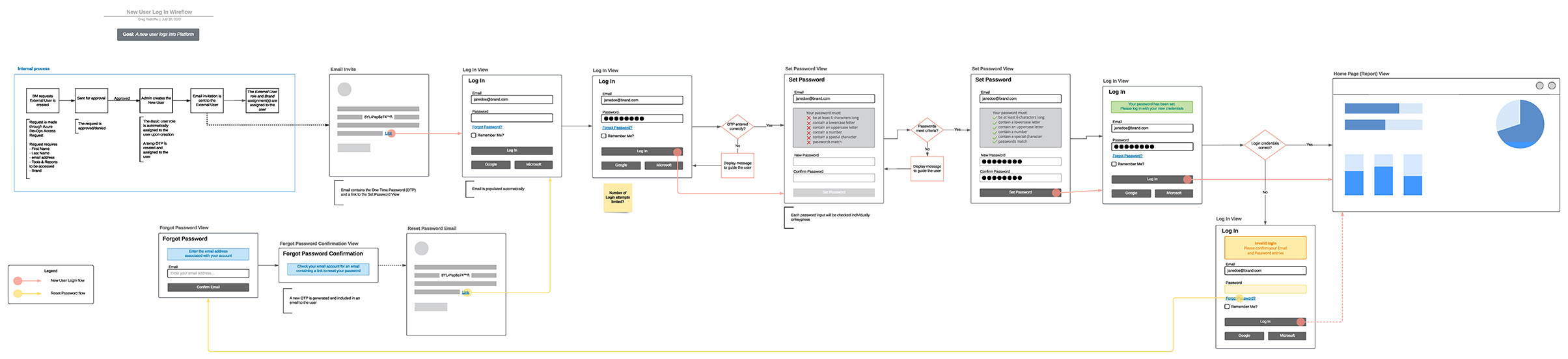
Dual Role: Designer + Developer
Acting as both designer and front-end contributor gave me a unique ability to:
- Bridge communication between stakeholders, users, and engineers
- Ensure pixel-perfect implementation of design intent
- Make informed trade-offs between ideal UX and technical constraints
- Advocate for usability while understanding development feasibility
This dual perspective accelerated handoff and reduced friction between design and engineering.
Results
The resulting suite of tools offered a more consistent, intuitive experience across the organization:
- Improved operational efficiency through simplified, streamlined workflows
- Reduced onboarding time due to consistent patterns across applications
- Increased user satisfaction — users reported less frustration with daily tools
- Cross-departmental consistency created a more cohesive employee experience
- Repeatable process established — design artifacts and collaborative workflows became the model for future tools
The collaborative design processes I introduced improved UX maturity across the team and influenced how future tools were scoped and built.
Reflection
This project reinforced the power of user-centered research, collaborative design, and early alignment across disciplines. The biggest wins didn’t come from individual interface decisions — they came from establishing shared understanding before development began.
What worked well: Using user flows as co-creation tools was transformative. Rather than presenting finalized designs for approval, I brought users into the problem-solving process. This built trust, surfaced hidden requirements, and ensured solutions fit actual workflows rather than idealized ones.
Acting as both designer and developer created unique leverage. I could advocate for user needs while speaking the language of engineering constraints, making it easier to find pragmatic solutions that balanced ideal UX with delivery reality.
What I’d do differently: Build a formal design system earlier. While I established consistency within individual projects, codifying those patterns into a shared component library would have accelerated future work and reduced drift over time. Additionally, more structured usability testing would have provided quantitative validation of improvements beyond qualitative user feedback.